


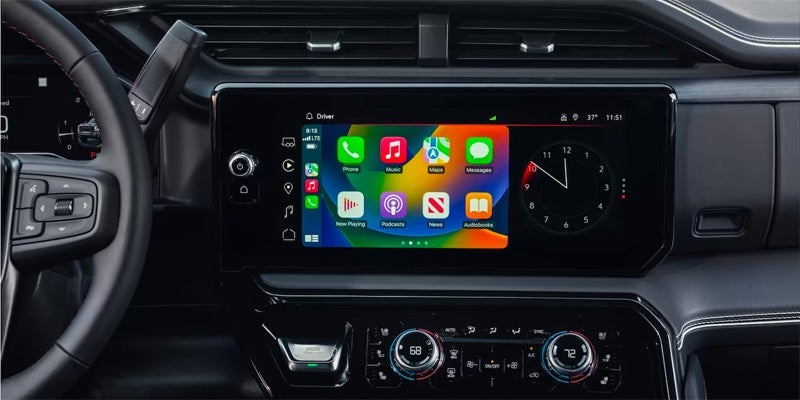
GMC vehicles are equipped with the advanced IntelliLink infotainment system, designed to enhance your driving experience by seamlessly integrating technology and connectivity. Whether you’re a new GMC owner or looking to maximize your vehicle's features, understanding how to navigate IntelliLink can significantly improve your time on the road. Here are some essential tips to help you get the most out of your GMC IntelliLink system. Getting Started with GMC IntelliLink When you first enter your GMC vehicle, the IntelliLink system greets you with a user-friendly interface. To begin, ensure your vehicle is in park and the ignition is on. The home screen displays various icons, including audio, navigation, phone, and settings. Familiarizing yourself with these icons is the first step toward mastering IntelliLink. Connecting Your Smartphone One of the standout features of IntelliLink is its ability to connect with your smartphone. Here’s how to set it up: Bluetooth Connection: Enable Bluetooth on your smartphone. On the IntelliLink screen, navigate to the “Phone” icon. Select “Pair Device” and follow the on-screen instructions. Apple CarPlay and Android Auto: For Apple devices, connect your iPhone using a USB cable and select the CarPlay option. For Android devices, connect via USB and select Android Auto. This integration allows you to access apps, navigation, and music directly from the IntelliLink interface. Customizing Your Experience IntelliLink offers various customization options to tailor your infotainment experience: Personalized Home Screen: You can rearrange the icons on your home screen to prioritize your most-used features. Simply press and hold an icon to move it to your desired location. Favorite Contacts: Save your frequently contacted numbers for quick access. Go to the “Phone” menu, select “Favorites,” and add contacts for easy dialing. Audio Preferences: Adjust your audio settings by accessing the “Audio” menu. Here, you can choose your preferred sources, such as AM, FM, SiriusXM, or Bluetooth audio. Utilizing Navigation Features The IntelliLink system includes built-in navigation capabilities that can simplify your travel: Voice Commands: Use voice recognition to input destinations hands-free. Simply press the voice command button on the steering wheel and say, “Navigate to .” Points of Interest: Easily find nearby restaurants, gas stations, and attractions by selecting the “Points of Interest” option within the navigation menu. Real-Time Traffic Updates: Stay informed about traffic conditions. IntelliLink provides real-time updates, helping you avoid delays and find the fastest routes. Staying Updated To ensure your IntelliLink system operates smoothly, keep it updated: Software Updates: Regularly check for software updates through the settings menu. Updates can enhance functionality and fix any bugs. Map Updates: If your vehicle includes navigation, ensure your maps are current. You can update maps via USB or through the GMC website. Navigating the GMC IntelliLink infotainment system can transform your driving experience, making it more enjoyable and efficient. By connecting your smartphone, customizing your settings, utilizing navigation features, and keeping your system updated, you can fully leverage the capabilities of your GMC vehicle. Embrace the technology at your fingertips and enjoy every journey.
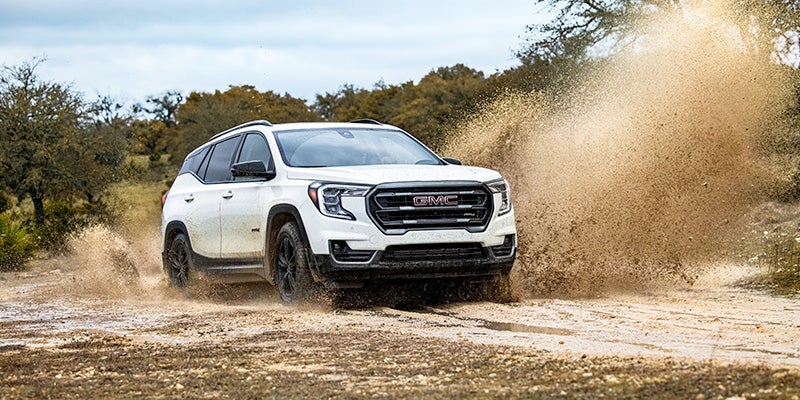
Enhancing Your GMC Terrain: Accessory Choices and Installation
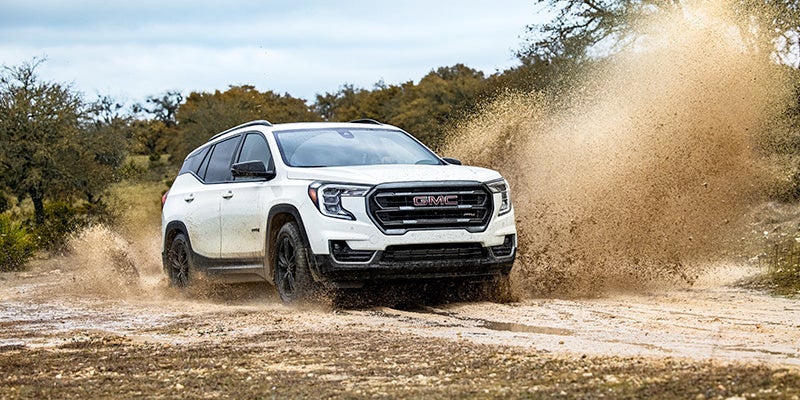
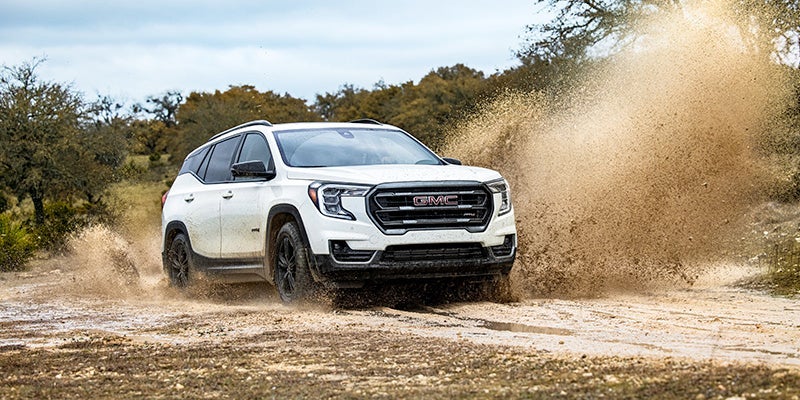
The GMC Terrain is a versatile compact SUV that combines style, comfort, and functionality. To truly make it your own, enhancing your Terrain with the right accessories can elevate both its appearance and performance. In this guide, we explore a variety of accessory options and provide insights into their installation, ensuring you can customize your Terrain to fit your lifestyle. Exterior Accessories Roof Rack Cross Rails Adding roof rack cross rails to your GMC Terrain expands your cargo-carrying capabilities. These rails are perfect for transporting bikes, kayaks, or extra luggage for road trips. Installation: Align the cross rails with the factory-installed mounting points on the roof. Secure them using the provided hardware, ensuring they are tightened properly to withstand wind resistance. Splash Guards Protect your Terrain from mud, dirt, and debris with splash guards. These accessories not only enhance the vehicle's rugged look but also help maintain its paint job. Installation: Position the splash guards against the wheel wells. Use the included screws to attach them securely, ensuring they are flush against the body of the vehicle. Interior Accessories All-Weather Floor Mats Keep your interior clean and protected with all-weather floor mats. These mats are designed to trap dirt and moisture, making them ideal for any season. Installation: Remove any existing mats from the vehicle. Place the all-weather mats in their designated positions, ensuring they fit snugly against the floor. Cargo Organizer A cargo organizer helps keep your trunk area tidy and maximizes storage space. With compartments for smaller items, it prevents shifting during transit. Installation: Simply place the organizer in the cargo area. Adjust the dividers as needed to fit your storage requirements. Performance Accessories Cold Air Intake System Enhancing your Terrain's performance can be achieved with a cold air intake system. This accessory improves airflow to the engine, potentially increasing horsepower and fuel efficiency. Installation: Remove the factory air intake system. Install the new cold air intake by following the specific instructions provided, ensuring all connections are secure. Trailer Hitch For those who need to tow, a trailer hitch is essential. It allows you to haul trailers, boats, or other equipment, expanding your vehicle's utility. Installation: Align the hitch with the mounting points on the rear of the vehicle. Secure it using the provided bolts, ensuring it is properly tightened for safety. Technology Accessories Dash Cam A dash cam provides peace of mind by recording your drives. It can be invaluable in case of accidents or disputes. Installation: Mount the dash cam on the windshield using the adhesive pad. Connect it to the vehicle’s power supply, ensuring the cable is neatly tucked away. Smartphone Mount Stay connected and navigate safely with a smartphone mount. This accessory allows for hands-free use of your device while driving. Installation: Attach the mount to the dashboard or windshield. Adjust it for optimal visibility and accessibility. Enhancing your GMC Terrain with the right accessories not only improves its functionality but also personalizes your driving experience. From exterior upgrades like roof racks and splash guards to interior comforts such as all-weather mats and cargo organizers, the options are plentiful. Performance enhancements like cold air intakes and trailer hitches further expand your vehicle's capabilities. With a few simple installations, you can transform your Terrain into a vehicle that truly reflects your lifestyle.